Free to startNo bank card neededPayment held until handover
Mobile Money payment
A4 · A3 · A5Formats and finishing
7-day holdReleased on collection
Real timeFrom upload to handover
What we are
A printing marketplace, built for campuses.
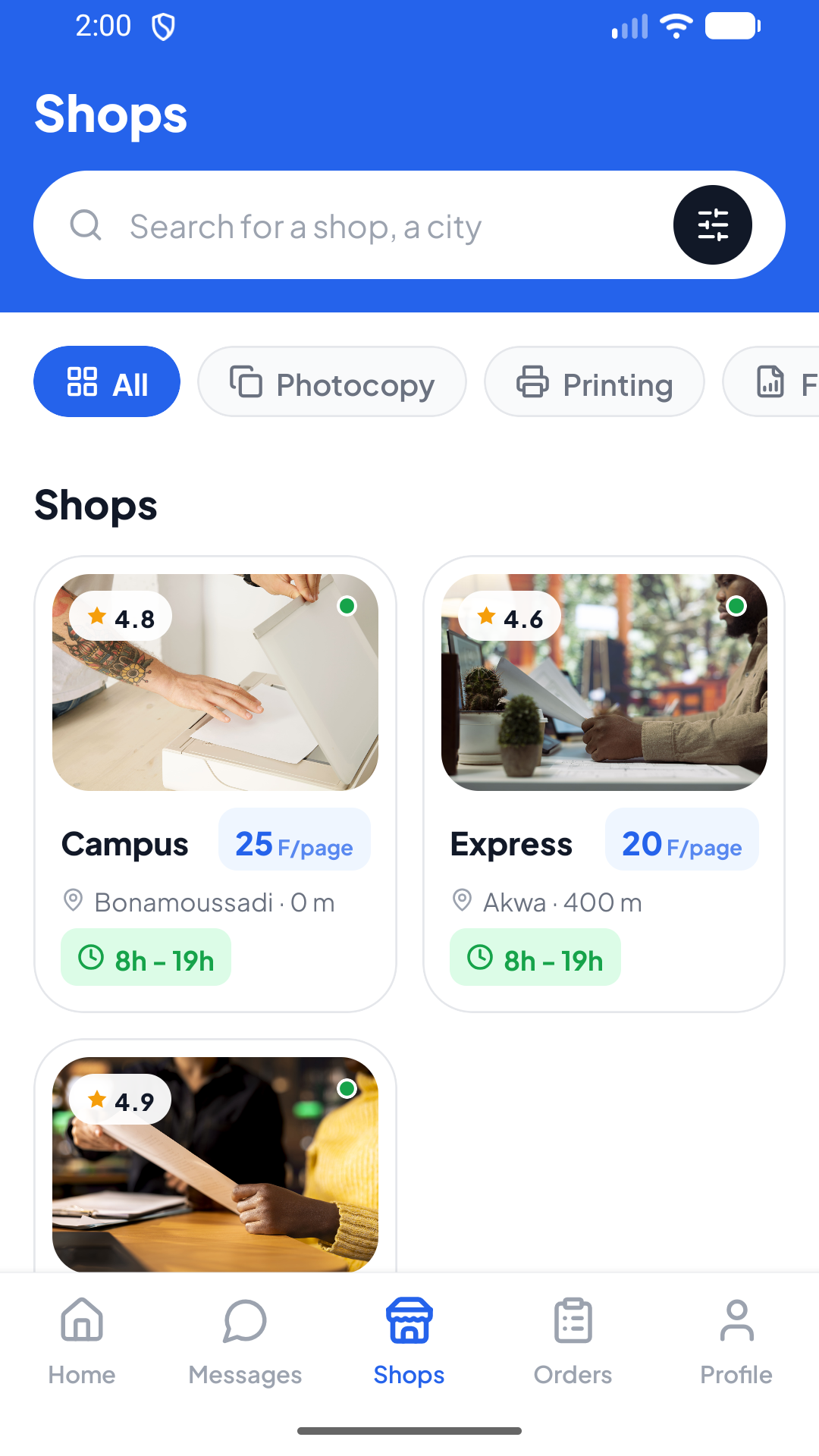
PrintSpot connects people who have a document to print with the print shops that can handle it. Payment held in escrow, real-time tracking, and pickup or delivery — from upload to the moment it leaves the printer.
01 — How it works
Four steps, from your phone to the printer.
01
Upload
PDF, Word, Excel or images, straight from the app.
02
Choose
An approved shop near your campus, by rating and distance.
03
Pay
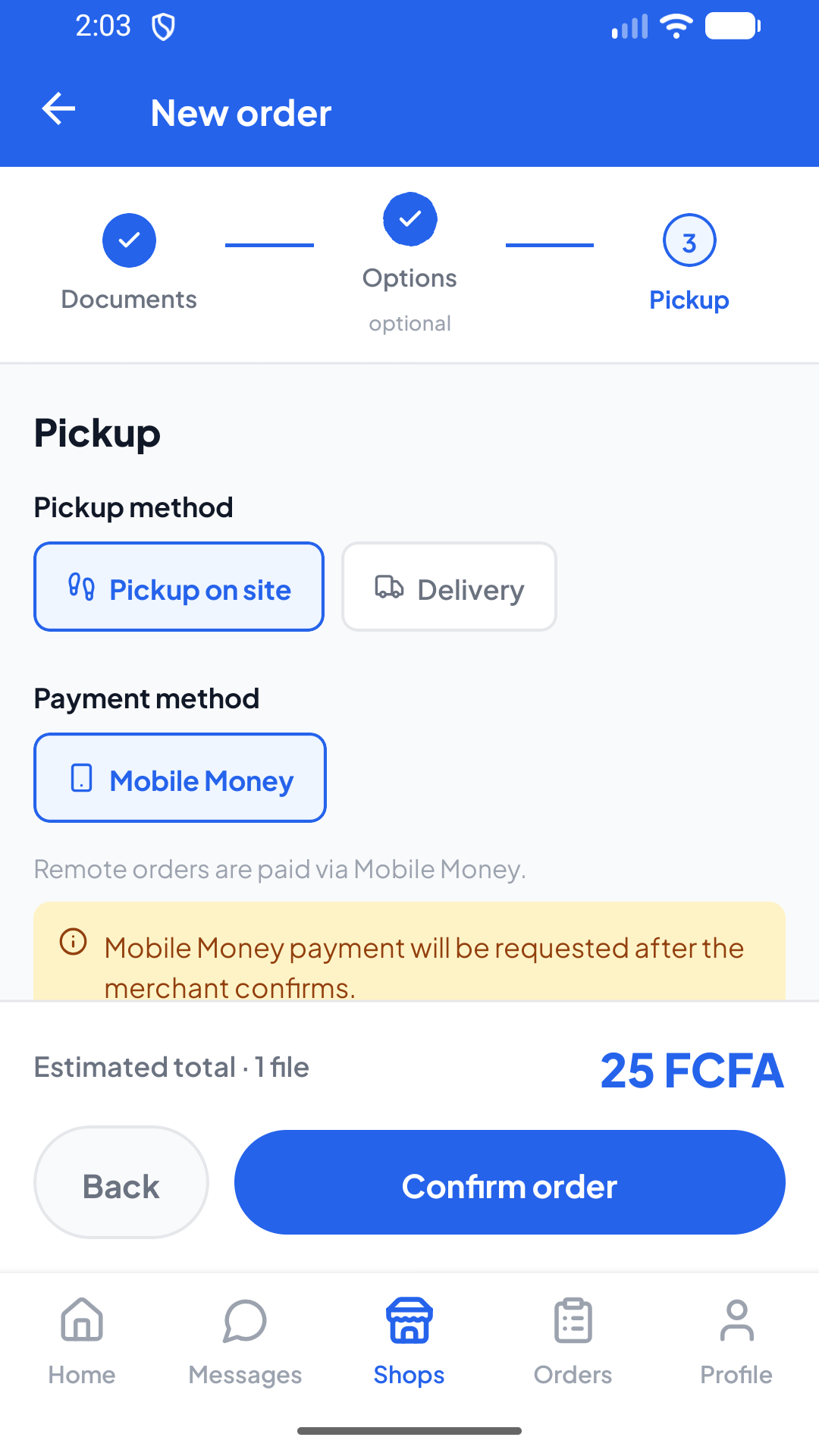
Mobile Money (MTN, Orange) held in escrow, or cash on collection.
04
Collect
Track the order live, then pick it up or have it delivered.
Why PrintSpot
What you won't find anywhere else.
A print order is never one file with one setting. PrintSpot is built around that.
Every document gets its own settings
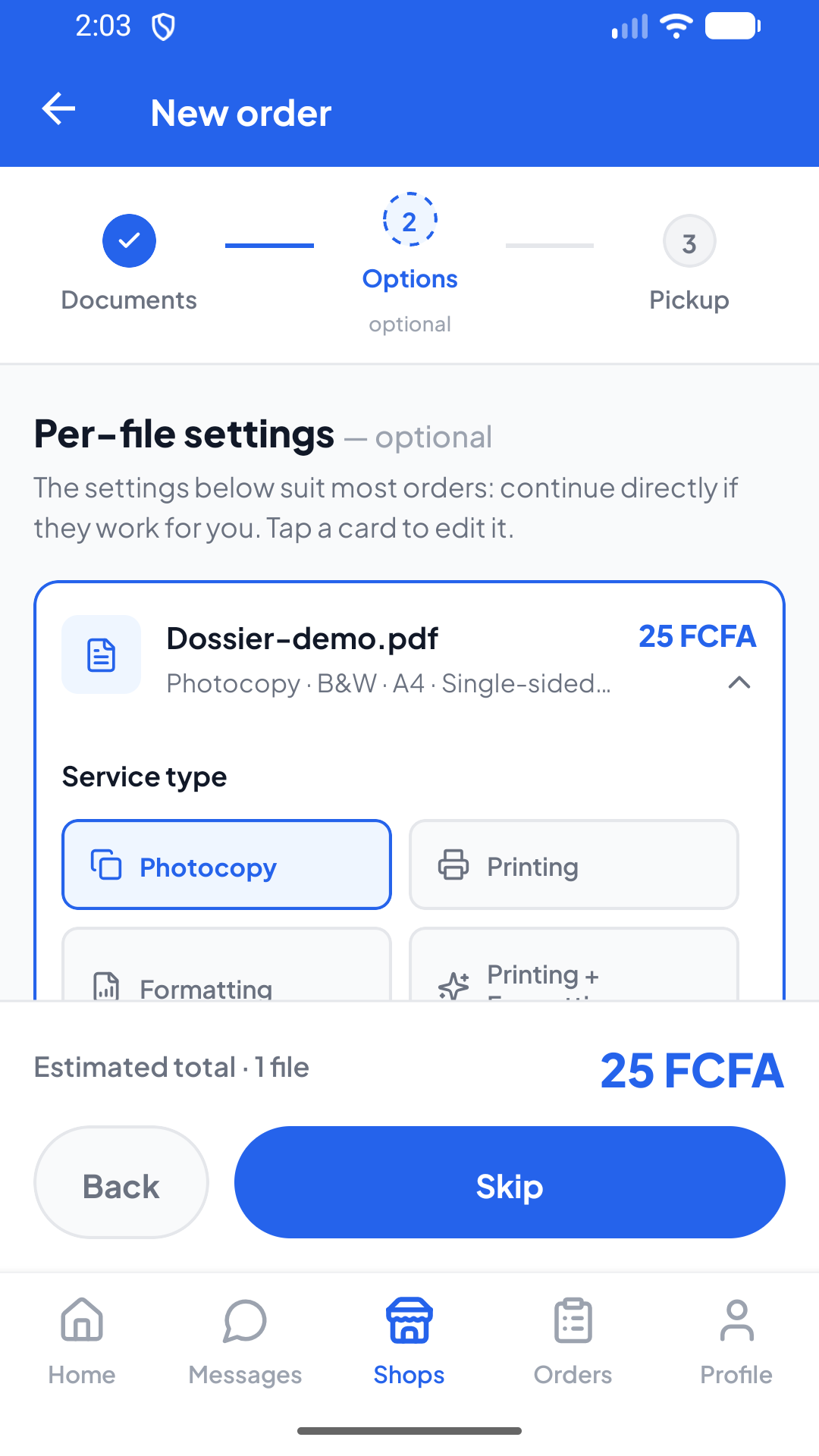
Your problem set in black and white double-sided, your poster in A3 colour, your dissertation bound — all in one order, with no compromise.
Service, colour, format, sides, copies and finishing, file by file
A written instruction per document, read by the shop
The price updates with every change, before you pay
Students
The price you see is the price you pay
The fee breakdown appears before payment. Nothing is added afterwards, and the shop receives exactly the price of its work.
Students and shops
Your money stays protected
The amount is set aside when you order and only reaches the shop once you confirm the handover. Cancel, and you are refunded.
Students
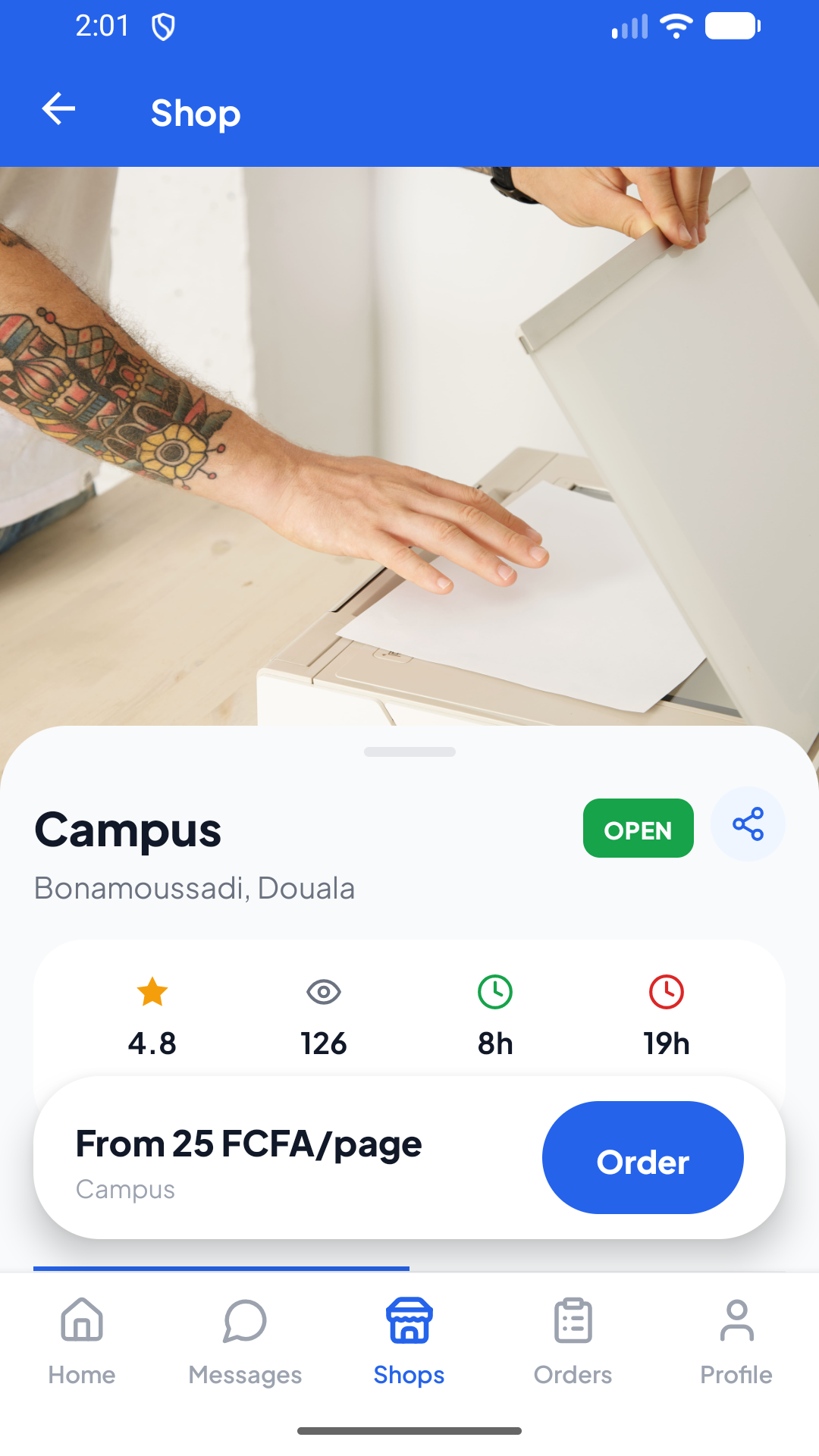
Scan, then order
Every shop has a QR code to display at the counter. One scan and you land on its order screen, without hunting through a list.
Students
Tracking, document by document
You can see which of your files is still in production and which one is already done — not just a single status for the whole order.
Students
The shop keeps running when the network drops
The print agent works offline: your actions are queued and replayed the moment the connection comes back.
Several print stations per shop, each with its own jobs
Automatic printing as soon as payment clears (Premium and Ultra)
Automatic reminders when an order has been waiting too long
Shop owners
French and English
The mobile app and the print agent are fully bilingual. Switch language whenever you like — the choice sticks.
Students and shops
For students
Order nearby, track without stress.
Close to campus
Shops are ranked by distance from your institution.
Real-time tracking
Every stage — accepted, in production, ready — arrives live.
Chat with the shop
Clarify a detail, send a correction — read receipts included.
Rate after collection
You confirm the handover, then rate — that is what releases the funds.
For shop owners
Receive, print, get paid — without thinking about it.
PC print agent
Orders print automatically on your Windows machine (Premium / Ultra).
Manual dashboard
Normal plan: review orders, print them yourself, move the status along by hand.
Escrow: you do get paid
The customer pays before production; the funds reach you on handover.
Price negotiation
Adjust the amount before confirming; the customer accepts or declines.
Wallet and payouts
Your earnings build up in the app; withdraw to your Mobile Money account whenever you want.
02 — Downloads
Get the app, the agent and the manual.
Install the mobile app to order, the desktop agent if you run a shop, and keep the manual within reach.
Quick install
Scan to install.
Open your phone camera and point it at the code: the mobile app will be available to download very soon.
Coming soon
Mobile app
Order, pay and track your printing. For customers and shop owners alike.
Android 8+APK~ 40 MB
Coming soon
Desktop agent
Automatic printing of orders on the shop's computer. Premium and Ultra shops only.
The mobile app is not available yet. It will be released very soon through the usual download channels. The manual is currently published in French only.
Shop plans
Sell at your own pace.
Start free. Move up to automatic printing when your volume justifies it. Change it any time from the app.
Normal
Free
1 shopManual dashboardReal-time notifications
Most popularPremium
1,500 XAF / month
Up to 2 shopsAutomatic printing (PC agent)Priority support
Ultra Premium
4,000 XAF / month
Up to 5 shopsAutomatic printing (PC agent)Dedicated support
Frequently asked
Everything you need to know.
What is PrintSpot?
A printing and photocopying marketplace for Cameroonian campuses. A student uploads their documents, picks a print shop nearby, pays with Mobile Money or cash, tracks the order live and collects the prints.
Who can use it?
Students and teachers with something to print, and print shops that want to receive orders. The same app serves both: you become a shop owner by creating a shop, which our team reviews.
How does payment work?
With Mobile Money (MTN or Orange) or cash on collection. For Mobile Money, the funds are held in escrow until you confirm receipt: only then are they released to the shop. The displayed price covers everything — the shop receives exactly the order amount.
Are my documents protected?
Yes. Your files are never reachable through a guessable URL: they are served through signed links and authenticated access, and only you and the shop concerned can open them. A shop's computer only retrieves the documents of its own orders.
How do I become a shop owner?
From the app, open a shop: fill in its location, opening hours and the documents required. Once our team approves it, you start receiving orders. The Normal plan is free; automatic printing through the desktop agent is included in Premium and Ultra Premium.
Which devices are supported?
The mobile app runs on Android (APK above; iOS and app stores to come). The print agent runs on Windows 10 and 11. The PDF manual covers installing and using both.
Ready to print without the wait?
Install PrintSpot, pick a shop near your campus and place your first order in minutes.